.png)





ID: B0BM41BLRY
Closed
FelRelWel K Type Heat Press Control Box,Replacement Parts for 15x15 Heat Press,Temperature Time Dual Display,Heat Press Machine Control Box for T Shirts、Short、Mug、Cup,1400W,Pre-Purchase Consultation
Retail Value: $47.49
$9.00
Closed
Condition: Open Box
Description
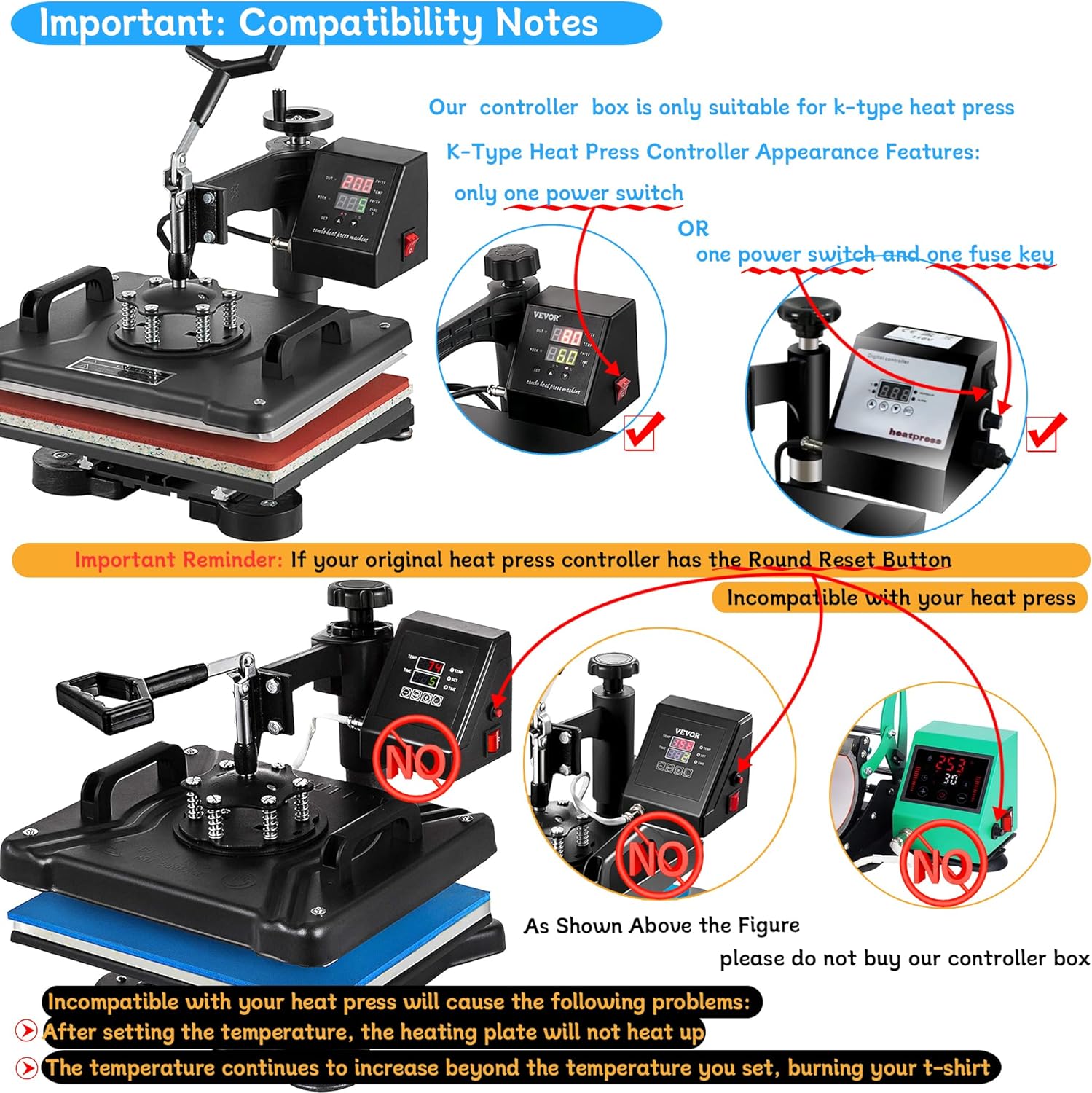
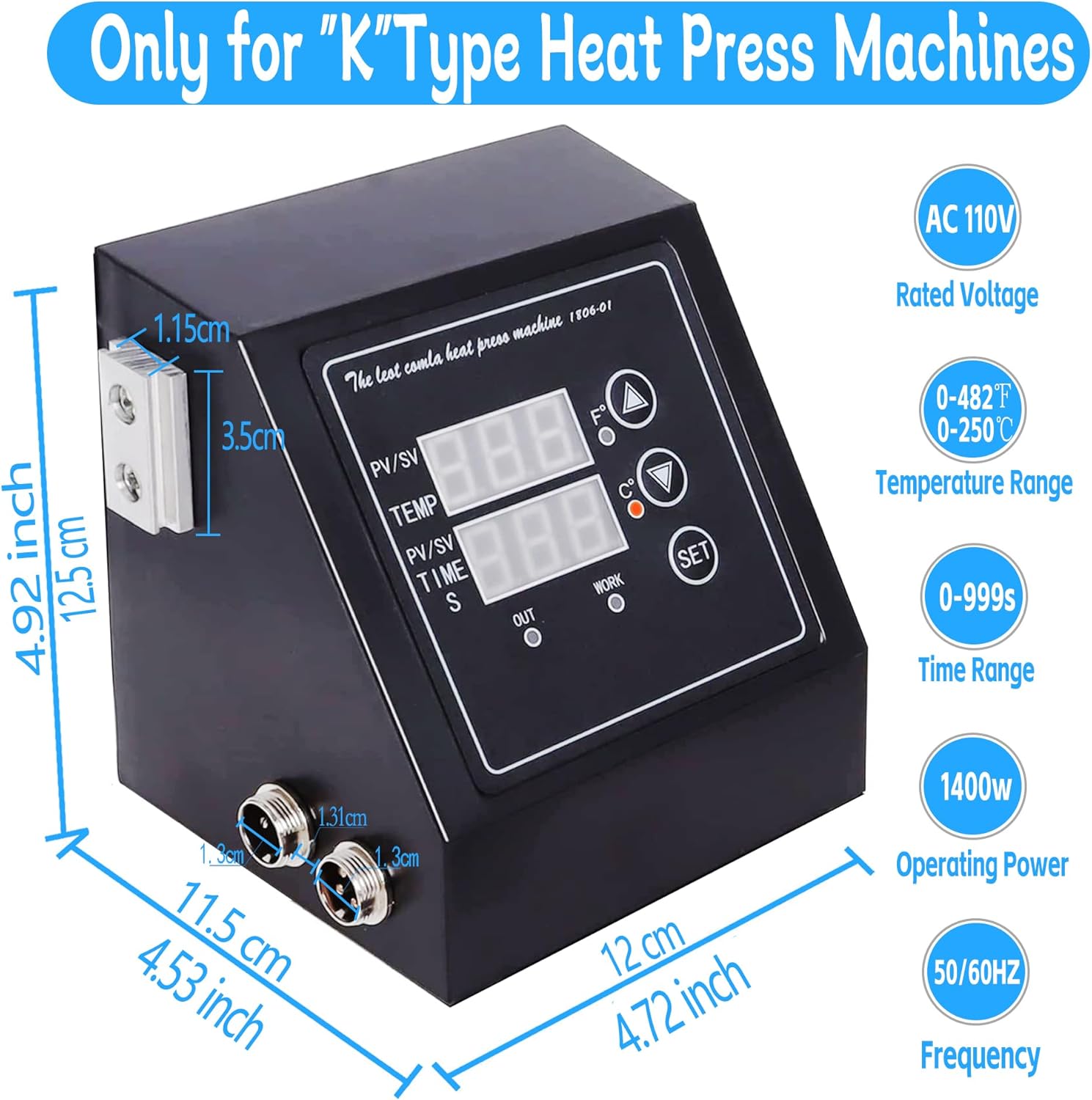
[K-type Heat Press Control Box] Please read the main picture 2 carefully before purchasing (compatibility instructions)!The temperature control controller adopts a new generation of K type upgraded heating couple with stable voltage, durable to use. Voltage: 110V;Frequency: 60Hz; Power:1400W;Adjustable Temperature: 33 to 482 ℉;Adjustable Time: 0 to 999 seconds.Note:Replacement Parts only for 15x15 12x15 K Type Heat Press.
[LED Dual Display] The LED screen can intelligently display temperature and time in two lines. It adopts microprocessor program control, parameter memory function and high control accuracy. The touch-type LED control panel has C/F temperature indicator light, "SET" to set the temperature unit/temperature/time function, and countdown function, which is simple and easy to use;
[Only Applicable to K-Type Thermal Transfer Machines] Our control box can only support K-type thermal transfer machines. Most of the K-type controllers have C (Celsius) and F (Fahrenheit) display marks on the control panel. ????Reminder: Not suitable for Thermal Sensitive Heat Press machines (heat sensitive machines: most thermal heat transfer controllers have a red reset switch, not suitable for such machines)
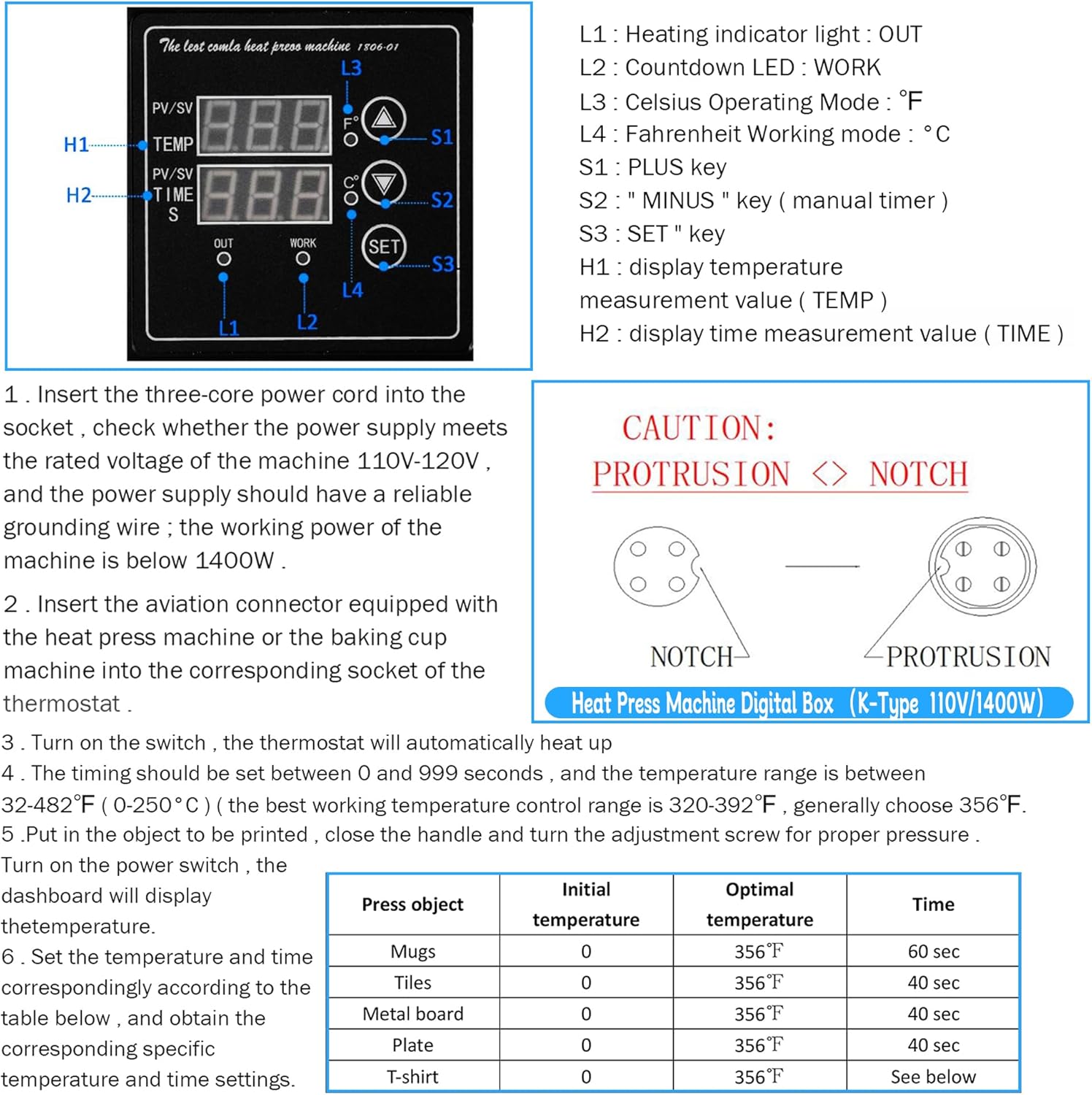
Fahrenheit Temperature/Celsius unit switching: 1. Turn on the box. 2. Long press and hold the "SET" button for 5 seconds until a "beep" sound is heard. Display C-F 3. Press the up ⮝ and down ⮟ keys to adjust F/C (F stands for Fahrenheit,C stands for Celsius,). 4. Press and hold the "SET" button for 5 seconds. After the setting is completed (the F/C indicator light on the instrument panel lights up to indicate the corresponding F/C temperature unit)
Heating temperature and heating time settings: 1. Press the “SET” button. Display SP 2. Press the “up⮝” increase temperature and “down⮟” Reduce the temperature 3. Press the “SET” button again. Set time 4. Press the “up⮝” increase time and “down⮟”Reduce the time 5. Press the “SET” button again to return to the standby heating state. 6. (If there is no countdown function) Press the “down⮟” button, it will automatically count down. Press the “down⮟” button again to stop the countdown.
[LED Dual Display] The LED screen can intelligently display temperature and time in two lines. It adopts microprocessor program control, parameter memory function and high control accuracy. The touch-type LED control panel has C/F temperature indicator light, "SET" to set the temperature unit/temperature/time function, and countdown function, which is simple and easy to use;
[Only Applicable to K-Type Thermal Transfer Machines] Our control box can only support K-type thermal transfer machines. Most of the K-type controllers have C (Celsius) and F (Fahrenheit) display marks on the control panel. ????Reminder: Not suitable for Thermal Sensitive Heat Press machines (heat sensitive machines: most thermal heat transfer controllers have a red reset switch, not suitable for such machines)
Fahrenheit Temperature/Celsius unit switching: 1. Turn on the box. 2. Long press and hold the "SET" button for 5 seconds until a "beep" sound is heard. Display C-F 3. Press the up ⮝ and down ⮟ keys to adjust F/C (F stands for Fahrenheit,C stands for Celsius,). 4. Press and hold the "SET" button for 5 seconds. After the setting is completed (the F/C indicator light on the instrument panel lights up to indicate the corresponding F/C temperature unit)
Heating temperature and heating time settings: 1. Press the “SET” button. Display SP 2. Press the “up⮝” increase temperature and “down⮟” Reduce the temperature 3. Press the “SET” button again. Set time 4. Press the “up⮝” increase time and “down⮟”Reduce the time 5. Press the “SET” button again to return to the standby heating state. 6. (If there is no countdown function) Press the “down⮟” button, it will automatically count down. Press the “down⮟” button again to stop the countdown.
Location: DFW, TX
- Shipping
- Please wait...
9.00
Bids History
| Bidder | Amount | Date |
|---|---|---|
| G****1 | ($9.00) | 08/25/2026 08:43:58 |
| S****0 | $7.00 | 08/25/2026 08:43:58 |
| G****1 | ($5.00) | 08/24/2026 22:42:02 |